
Layouts by source
Cards are designed with landscape, portrait, or square thumbnails to match the source.
 JAGet DoReal
YOUR FAVORITES, YOUR WORLD.
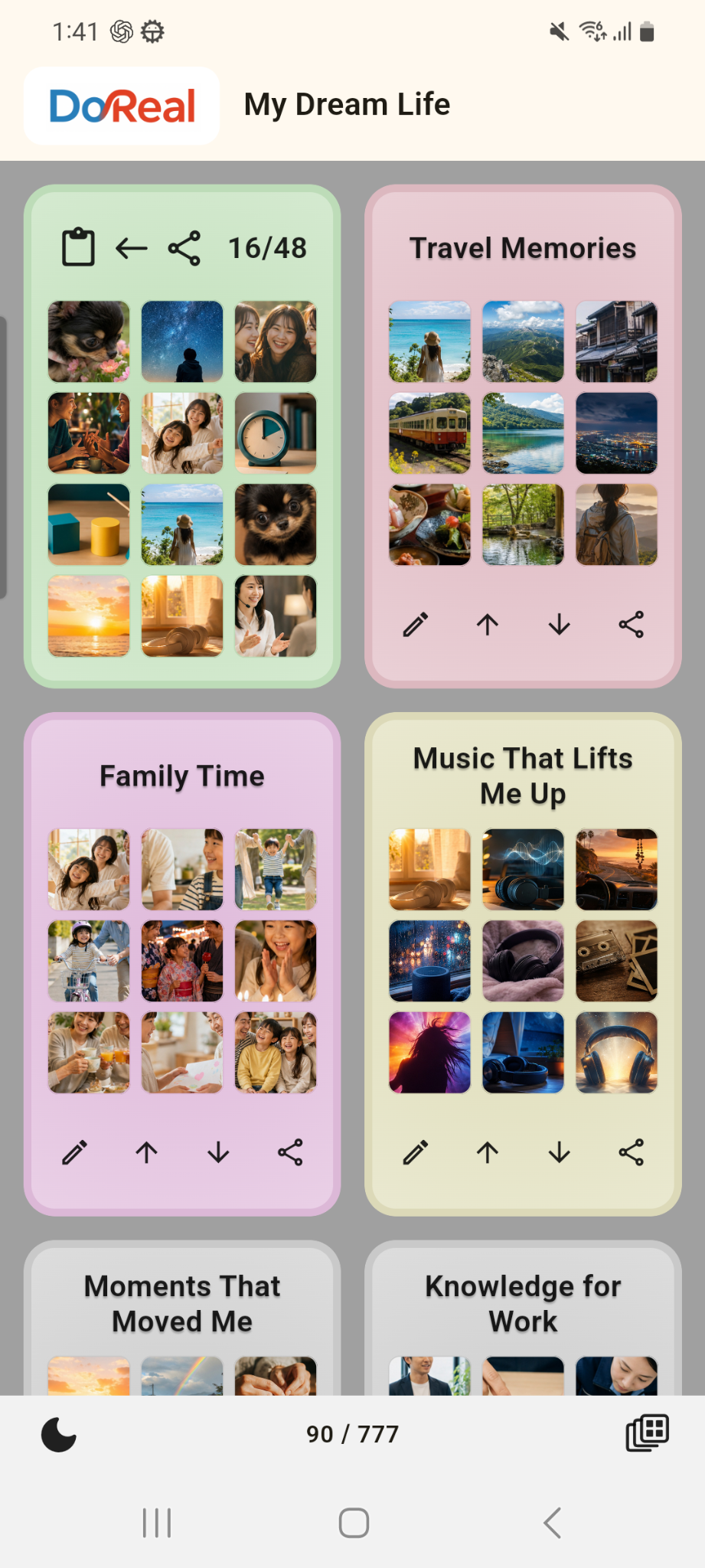
DoReal is an app that turns YouTube and TikTok videos and music into original cards (DoReca), so you can organize them into albums and share them.


Available on the App Store and Google Play


THE DOREAL CARD

Give this a listen—it is perfect for starting the day!
My favorite chorus starts at 1:42.
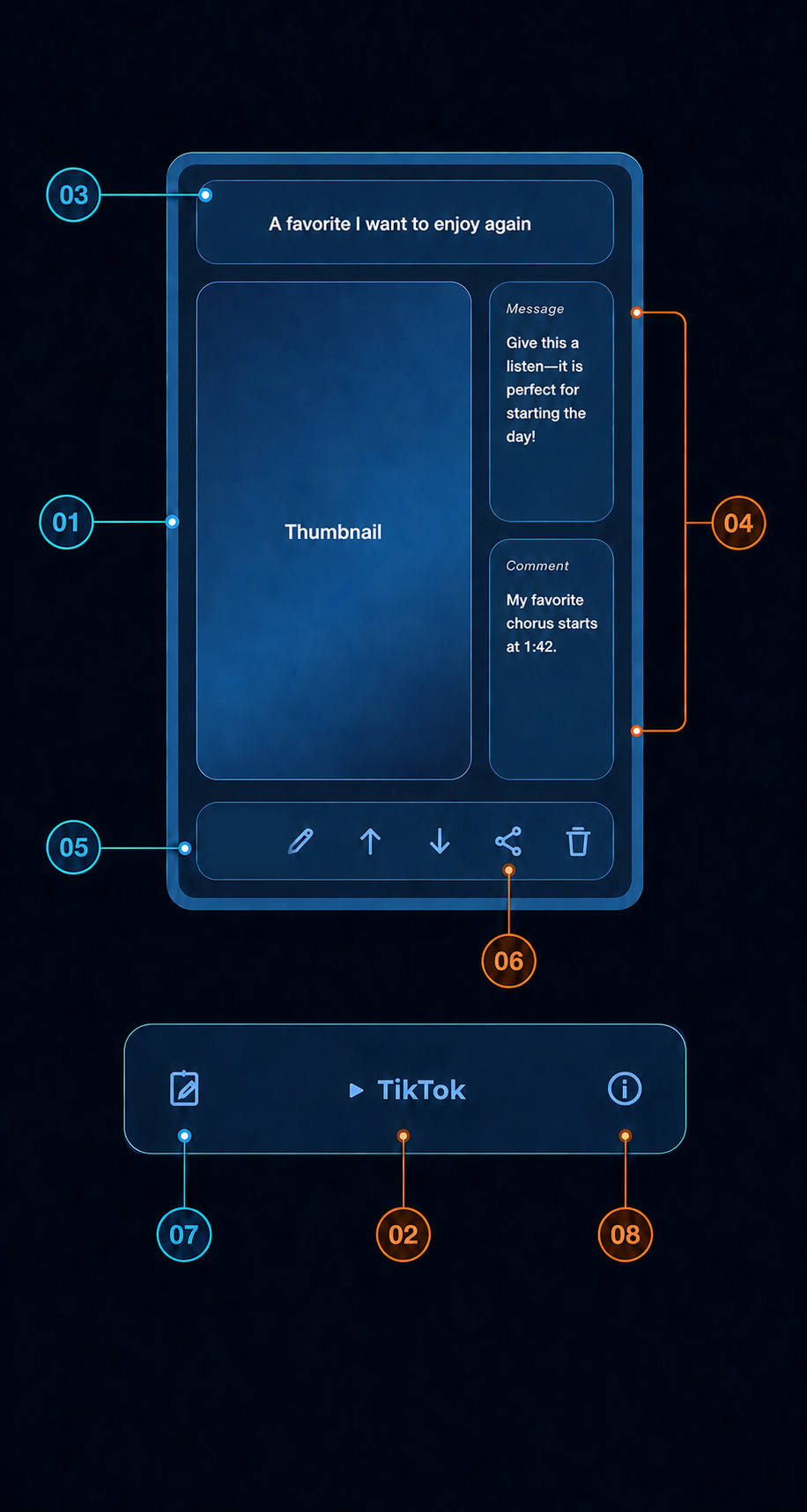
Cards are designed with landscape, portrait, or square thumbnails to match the source.
Tap the service name to open and play the video or music at its source.
The title retrieved from the original source appears at the top.
Add an introduction, highlights, memories, or notes of your own.
Move to another album, edit, reorder, share, or delete directly from the card.
Open a QR code from Share and send the card just as it is.
A free-form notebook for the card, where you can write anything you like.
View information retrieved from the original source, including its title and URL.
4 CARD TYPES
Share content from a supported app and DoReal turns it into the card type that matches its source.
A landscape thumbnail with Message and Comment stacked below.
A portrait thumbnail with Message and Comment arranged on the right.
A portrait layout designed to keep the feel of short-form video.
A square cover image with Message and Comment displayed below.
CHOOSE YOUR STYLE
Whether you watch videos or create them, discover how DoReal can fit the way you enjoy and share content.
HOW IT WORKS
It's simple: share a link, make a card, build an album, and grow your library.
Open a link in a supported app or browser, then choose DoReal from the share menu.
The link becomes a card with a title and image, ready to revisit whenever you want.
Organize cards by theme or mood and turn them into a collection that feels like you.
Turn a card or album into a QR code and share it with family, friends, or fans.
SUPPORT
Find answers to common questions and a direct way to contact us.
DOWNLOAD DOREAL
Turn YouTube and TikTok videos and music into cards—and build your album collection.
Available on the App Store and Google Play
MESSAGE & COMMENT
Two notes, two different roles
Use each field for a different kind of note, so the card carries both what you want to share and what you want to remember.